Kennel temperature monitor
Introduction
Is it the kind of cold you wouldn't send a dog out in? Keep your best friend comfortable and track the temperature in their kennel. 🐶
This project teaches you to measure temperature with IoT and show it on a chart. All you need is the basic HARDWARIO set, the Start Set. Your dog might thank you by making less mess. Or something like that. 🐩
Prepare the box
- Assemble and pair the Start Set. The Core Module needs the twr-radio-push-button firmware. If you don't know how to get the firmware or what it is, you'll find out here.
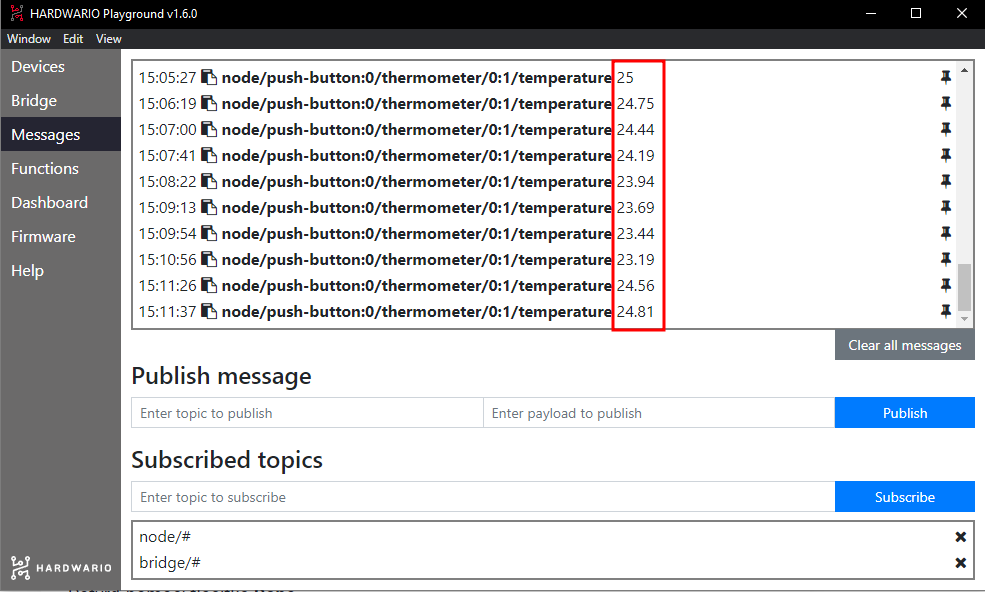
- You'll see the temperature change in the Messages tab in Playground.
Set up Node-RED
- You'll program in Node-RED. First, click the Functions tab in Playground.
- Drag a light purple mqtt in node (a bubble) onto the empty canvas. You'll find it in the network section.
- Double-click the node to open it. In the Topic field you choose what the chart will show. This time it's temperature, so copy the temperature message from the Messages tab (without the number) into the field. Or simply use this one:
node/push-button:0/thermometer/0:1/temperature
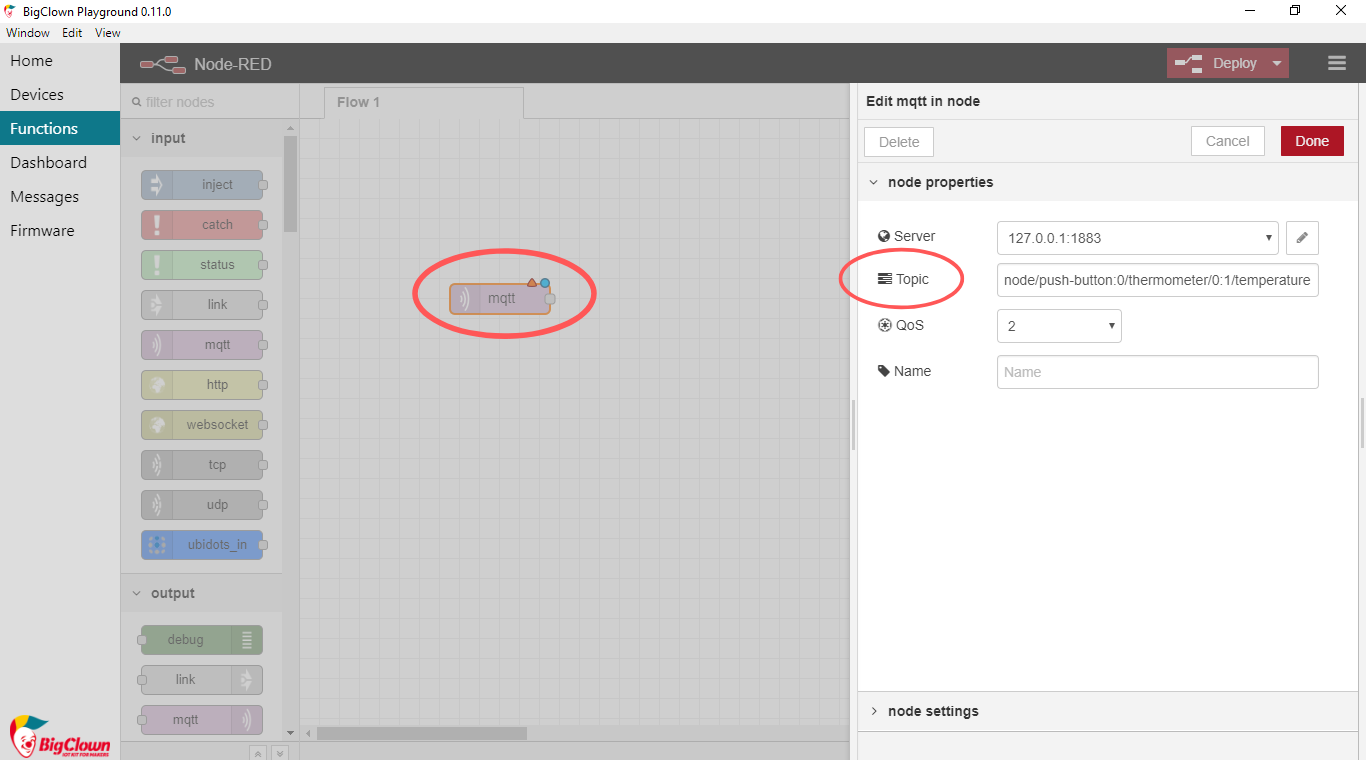
Confirm with Done.
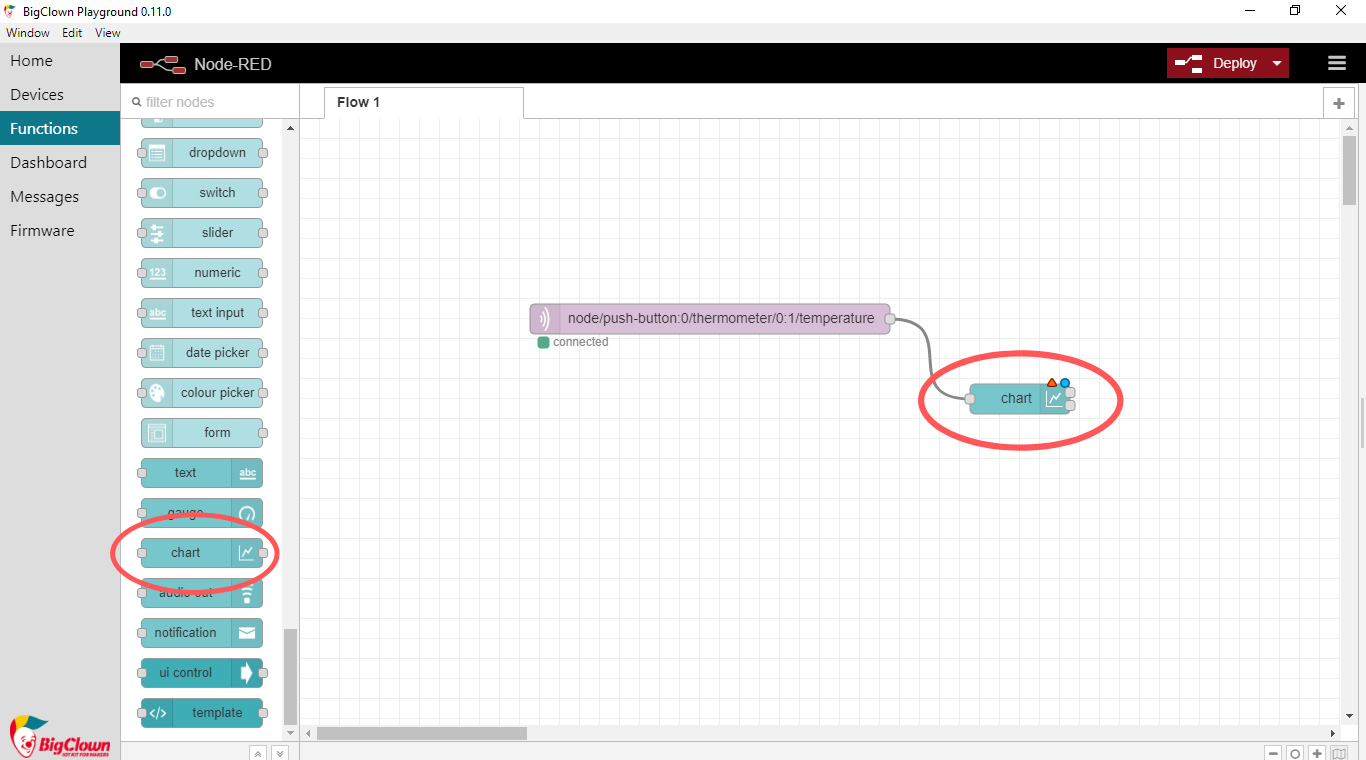
- Next to it, place a second, light blue node called Chart. You'll find it in the Dashboard section. This node decides how the measured temperature appears on the screen. Wire the two nodes together. 👌
- Double-click the Chart node. In the X-axis field, set how long a period the chart covers. Pick any length you like. In the Label field, give the chart any name you like.
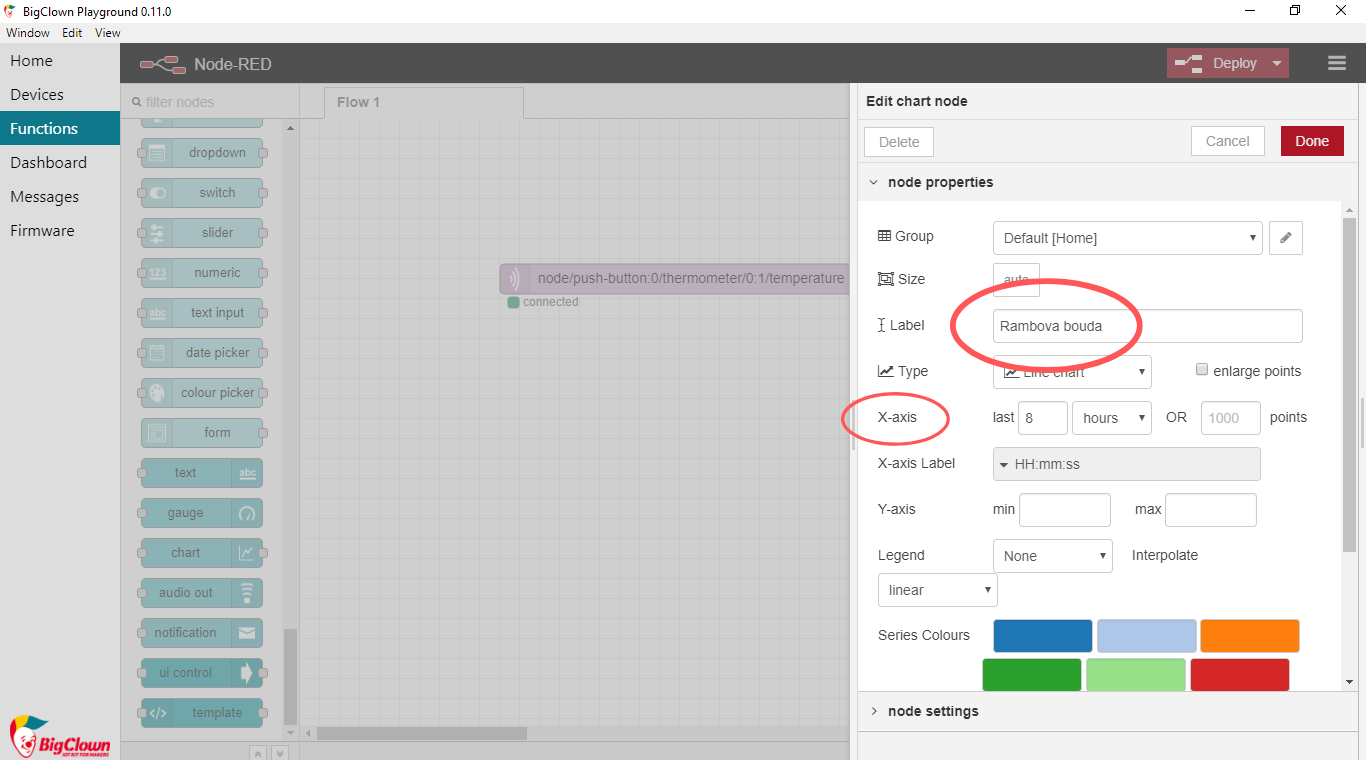
Confirm with Done.
- Now click the red Deploy button in the top right corner of the screen. 🚨 That starts the whole flow.
❗ Watch out: Every time you change the nodes, you have to click Deploy again.
- Switch to the Dashboard tab. There's your chart. 👏
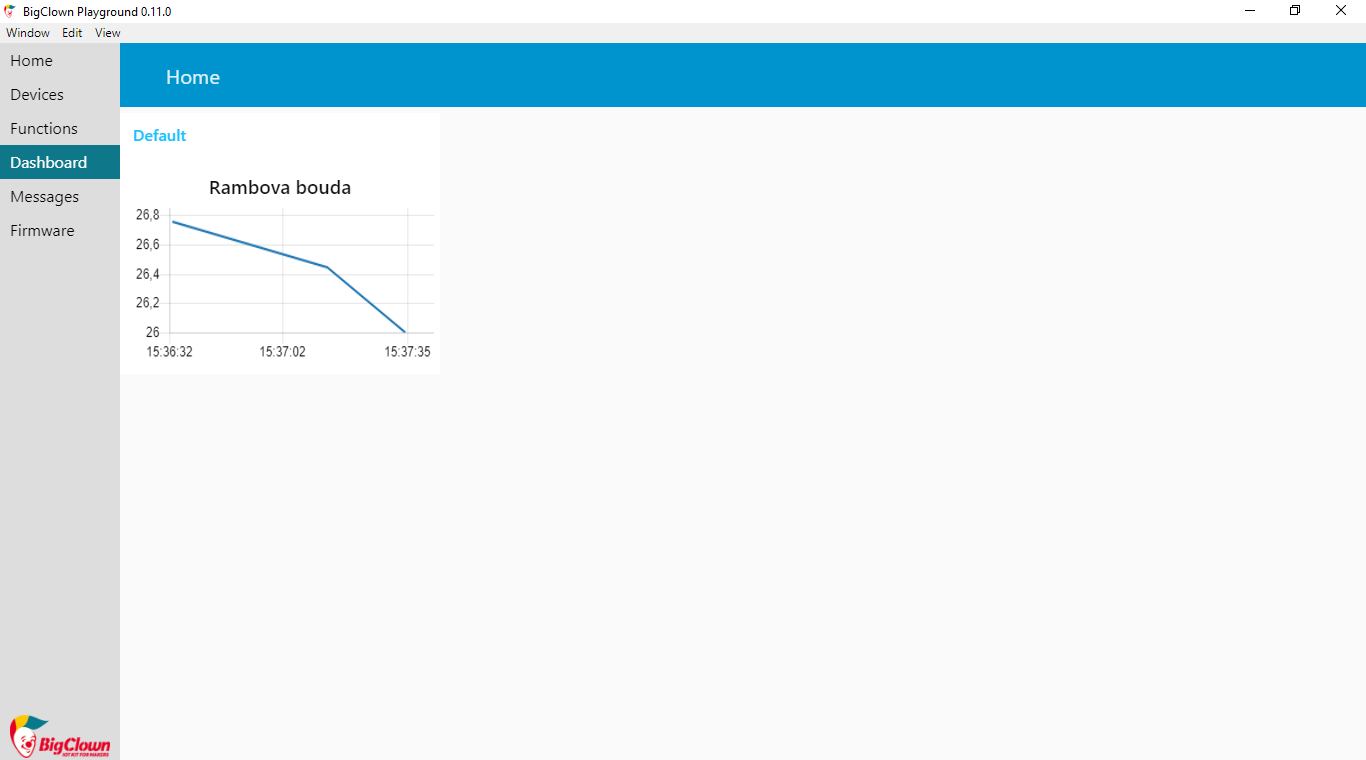
Time for action!
- Stick the box to the inside wall of the kennel with double-sided tape. 🏡
- Watch how the temperature changes when your dog is outside and when it's inside. Your dog warms the kennel up a little with its body. 🐕 Our tip: When temperatures drop, line the kennel with a blanket or straw.
- When it's below −15 °C outside, don't wait: let your dog into the house, at least into the hallway. ❄
- Your reward? A happy dog! 👌