Dragon's breath
Introduction
Have some IoT fun with your friends. Which of you has the hottest breath, and which the coldest? How you help yourself win is up to you. Anything goes. 😱
In this project, you will learn how to measure temperature with IoT. All you need is the basic HARDWARIO Start Set.
Prepare the box
-
Assemble the Start Set and pair it. The Core Module needs the twr-radio-push-button firmware.
-
In Playground, open the Messages tab. That's where you'll see the temperature changes. The box sends the temperature on its own: regularly every 15 minutes, and straight away whenever it changes by at least 0.2 °C. That's exactly what we'll use.
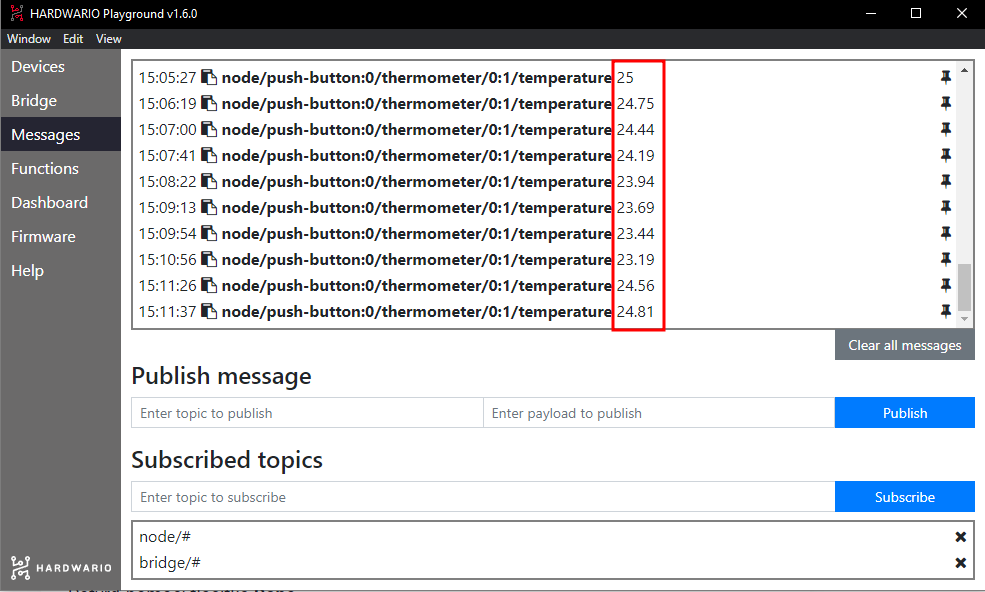
Set up Node-RED
-
The Messages tab may not be enough for you. ✌️ Build your own colorful temperature gauge from bubbles in Node-RED. First, click the Functions tab in Playground.
-
Place a light purple node (bubble) called mqtt in on the empty workspace. You'll find it in the network section.
-
Double-click the node to open it. In the Topic field, you decide what the colorful gauge will show: this time, the temperature. So copy the temperature message from the Messages tab into the field (without the number), or simply use this one:
node/push-button:0/thermometer/0:1/temperature
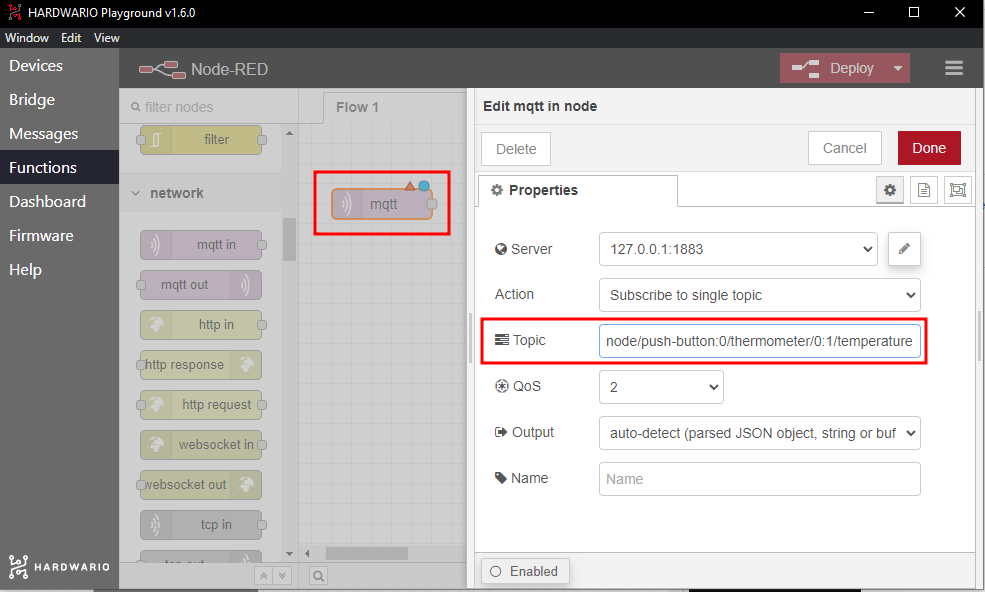
Confirm with Done.
- Next to the node, place a second one, this time the blue gauge node. You'll find it in the dashboard section. This node decides how the measured temperature appears on screen: as a gauge. Connect the two nodes.
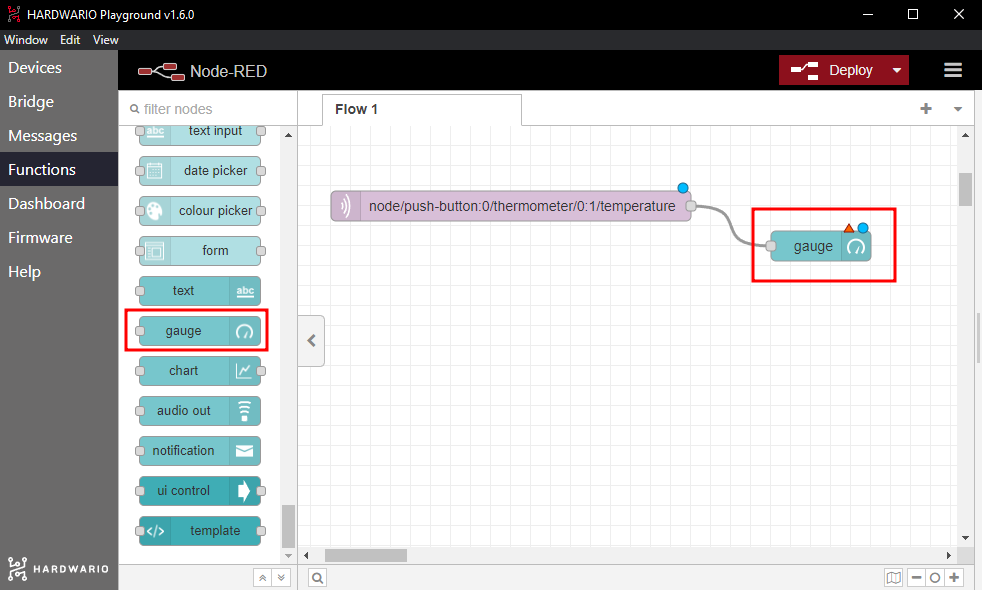
- Double-click the gauge node. In the Type field, you set how the gauge looks (Gauge works best). In the Range field, you set its minimum and maximum value (try 0 and 50).
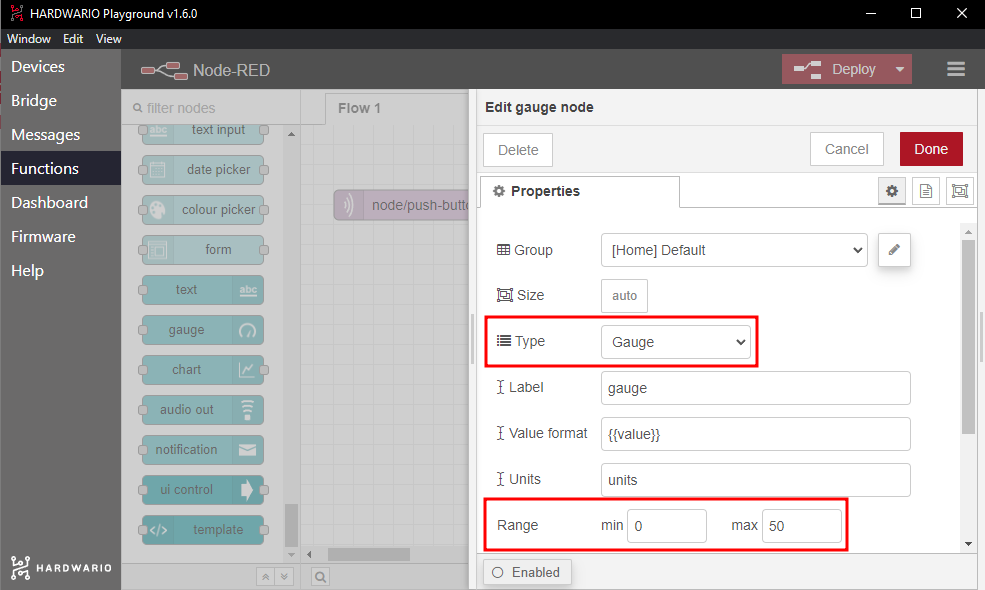
Confirm with Done. Our tip: You can rename your gauge in the Label field.
-
Now press the red Deploy button in the top right corner of the screen. 🚨 That starts the whole flow. ❗ Watch out: every time you change the nodes, you have to press Deploy again.
-
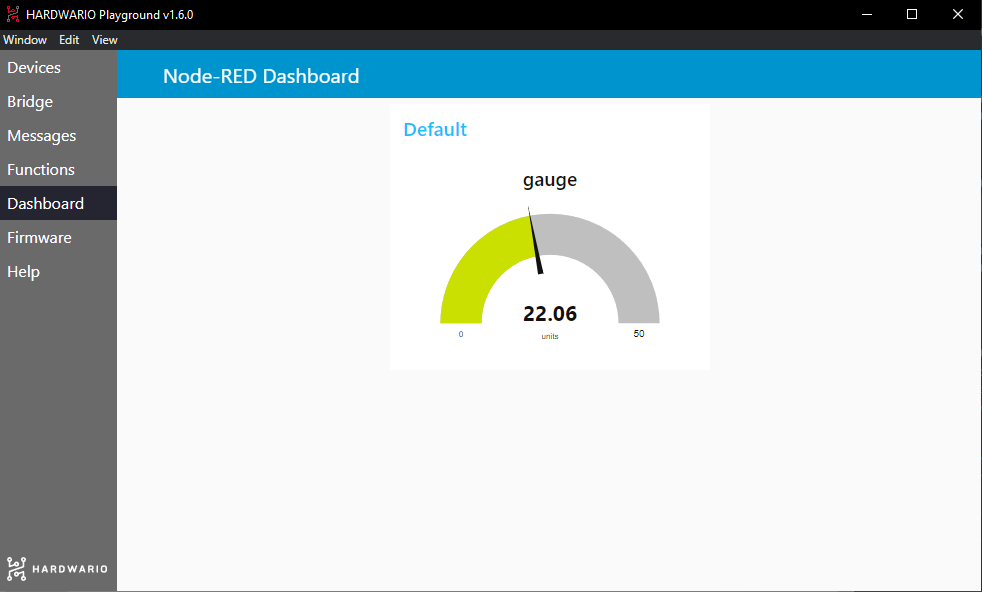
Switch to the Dashboard tab. That's where you'll find your gauge. 😲
Start the game with your friends
-
Sit around a table with your friends.
-
First, find out who's hiding dragon fire inside. 🔥 Take turns breathing on the box. Any help is allowed: try warming up your breath with whatever you have to hand. Try anything and everything. 🙌 ❓ Try it: What warms your breath more, hot tea or chilli peppers?
-
After the first round comes the frosty round. ❄ Who can cool their breath down to make it the coldest? ❓ Try it: What cools your breath more, an ice cube or minty chewing gum?
-
Write down the records and try to beat them next time you play.