Experiment
Time allocation: 10 min.
Experiment Description
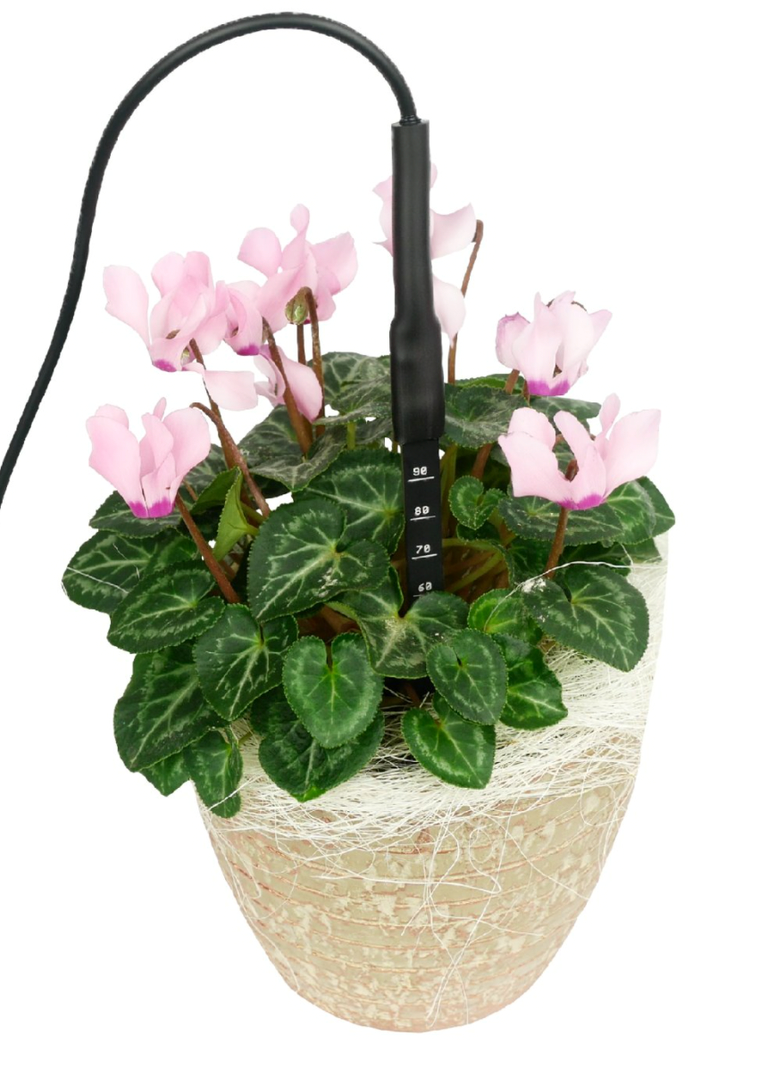
From the Sensor Set of the HARDWARIO TOWER kit, we will build a soil moisture and temperature sensor. We will show the measured data in a chart in Node-RED. At the same time, the connected LED strip signals with color when the measured values exceed the set limits.
In this experiment, we will learn:
- how to measure soil moisture with a capacitive sensor
- how moisture changes in different types of soil
Experiment Steps
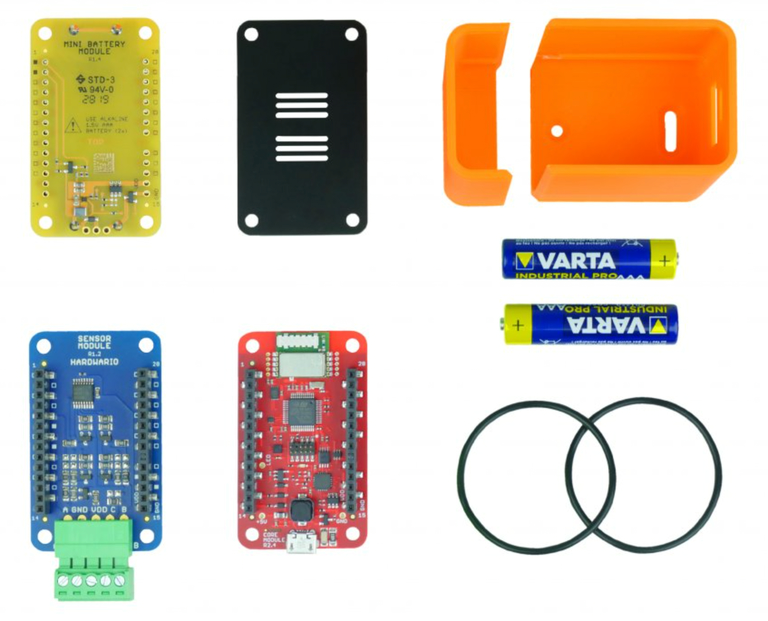
- Assembling the Sensor Set (Core Module, Mini Battery Module, Sensor Module)
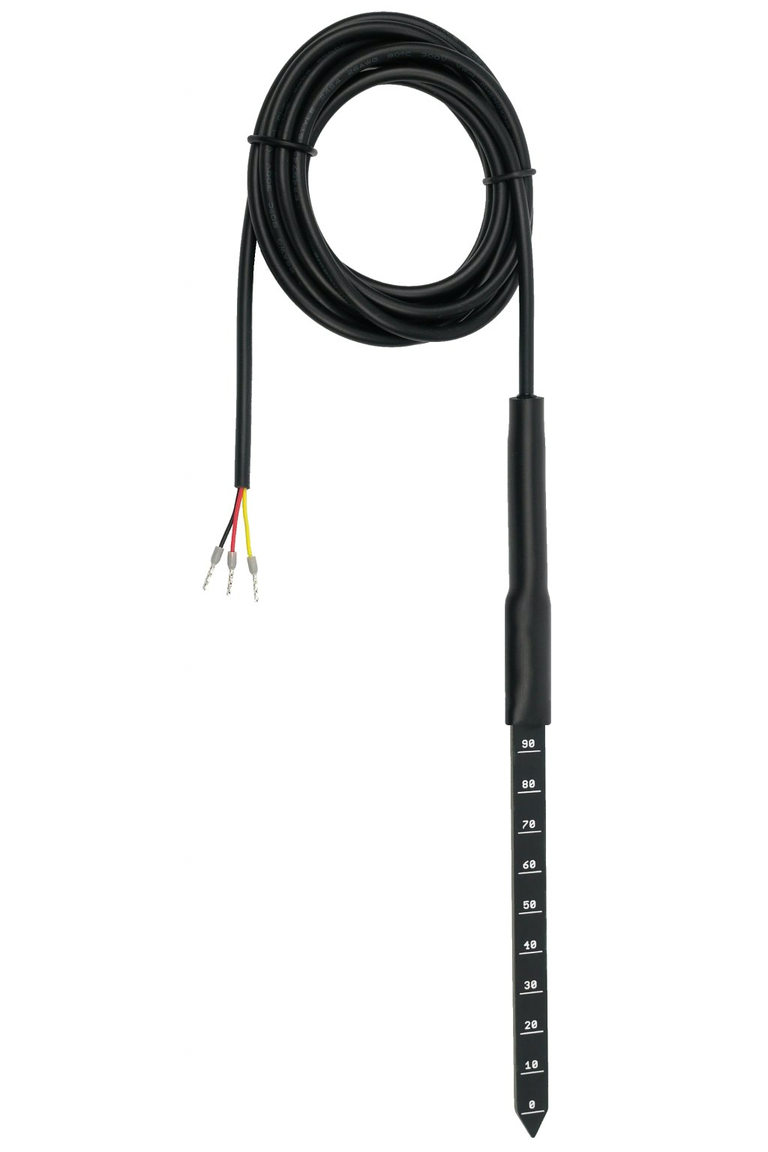
- Connecting the soil sensor to the Sensor Set
- Pairing the Sensor Set with the Radio Dongle
- Showing temperature and moisture data in a chart
- Signaling exceeded limits with the LED strip
- Extra: switching the relay
Assembling the Sensor Set
Connecting the soil sensor to the Sensor Set
Pairing the Sensor Set with the Radio Dongle
First, upload the twr-radio-soil-sensor firmware to the Core Module (the Firmware tab). Then open the Devices tab in the HARDWARIO Playground application and pair the set. It appears as soil-sensor:0.

Showing temperature and moisture data in a chart
Open the Functions tab in the HARDWARIO Playground application.
Copy and import this soil sensor flow:
[{"id":"7a709afe0a42280b","type":"tab","label":"Soil Sensor","disabled":false,"info":"","env":[]},{"id":"50cda90b00ec6940","type":"mqtt in","z":"7a709afe0a42280b","name":"","topic":"node/soil-sensor:0/soil-sensor/+/temperature","qos":"2","datatype":"auto","broker":"29fba84a.b2af58","nl":false,"rap":true,"rh":0,"inputs":0,"x":250,"y":380,"wires":[["dce09cb2c644f0ec","724ab6515ba390dc"]]},{"id":"6a7c3d0846d7749f","type":"mqtt in","z":"7a709afe0a42280b","name":"","topic":"node/soil-sensor:0/soil-sensor/+/raw","qos":"2","datatype":"auto","broker":"29fba84a.b2af58","nl":false,"rap":true,"rh":0,"inputs":0,"x":230,"y":80,"wires":[["2c99624e3aba8b43","5bc8e878d8a6cd92"]]},{"id":"2c99624e3aba8b43","type":"switch","z":"7a709afe0a42280b","name":"LOW MOISTURE","property":"payload","propertyType":"msg","rules":[{"t":"lte","v":"7000","vt":"num"},{"t":"gt","v":"15000","vt":"num"},{"t":"lt","v":"1000","vt":"num"}],"checkall":"true","repair":false,"outputs":3,"x":550,"y":80,"wires":[["448ec5364796f69c"],["5494dc0658fa2816"],["f8f1e6de9efa3424"]]},{"id":"448ec5364796f69c","type":"change","z":"7a709afe0a42280b","name":"LED STRIP GREEN","rules":[{"t":"set","p":"payload","pt":"msg","to":"\"#00FF00\"","tot":"str"}],"action":"","property":"","from":"","to":"","reg":false,"x":770,"y":40,"wires":[["6c1efe4fb186b382"]]},{"id":"6c1efe4fb186b382","type":"mqtt out","z":"7a709afe0a42280b","name":"","topic":"node/power-controller:0/led-strip/-/color/set","qos":"","retain":"","respTopic":"","contentType":"","userProps":"","correl":"","expiry":"","broker":"22810e6edd188e0a","x":1050,"y":40,"wires":[]},{"id":"dce09cb2c644f0ec","type":"switch","z":"7a709afe0a42280b","name":"LOW TEMPERATURE","property":"payload","propertyType":"msg","rules":[{"t":"lte","v":"25","vt":"num"}],"checkall":"true","repair":false,"outputs":1,"x":560,"y":380,"wires":[["7e0e91a7e56582aa"]]},{"id":"7e0e91a7e56582aa","type":"change","z":"7a709afe0a42280b","name":"LED STRIP BLUE","rules":[{"t":"set","p":"payload","pt":"msg","to":"\"#00FF00\"","tot":"str"}],"action":"","property":"","from":"","to":"","reg":false,"x":770,"y":380,"wires":[["5c8e79a1b86490a7"]]},{"id":"5c8e79a1b86490a7","type":"mqtt out","z":"7a709afe0a42280b","name":"","topic":"node/power-controller:0/led-strip/-/color/set","qos":"","retain":"","respTopic":"","contentType":"","userProps":"","correl":"","expiry":"","broker":"22810e6edd188e0a","x":1070,"y":380,"wires":[]},{"id":"5bc8e878d8a6cd92","type":"ui_gauge","z":"7a709afe0a42280b","name":"Soil Moisture","group":"b355d20f11e87c8d","order":1,"width":0,"height":0,"gtype":"gage","title":"Soil Moisture","label":"","format":"{{value}}","min":0,"max":"16383","colors":["#ff0000","#e6e600","#00ff00"],"seg1":"5500","seg2":"11000","className":"","x":540,"y":180,"wires":[]},{"id":"724ab6515ba390dc","type":"ui_gauge","z":"7a709afe0a42280b","name":"Soil Temperature","group":"b355d20f11e87c8d","order":1,"width":0,"height":0,"gtype":"gage","title":"Soil Temperature","label":"°C","format":"{{value}}","min":"-20","max":"70","colors":["#0000ff","#e6e600","#ff0000"],"seg1":"0","seg2":"20","className":"","x":550,"y":460,"wires":[]},{"id":"5494dc0658fa2816","type":"change","z":"7a709afe0a42280b","name":"LED STRIP BLUE","rules":[{"t":"set","p":"payload","pt":"msg","to":"\"#0000FF\"","tot":"str"}],"action":"","property":"","from":"","to":"","reg":false,"x":770,"y":100,"wires":[["ba63c4b7674f5aa4"]]},{"id":"ba63c4b7674f5aa4","type":"mqtt out","z":"7a709afe0a42280b","name":"","topic":"node/power-controller:0/led-strip/-/color/set","qos":"","retain":"","respTopic":"","contentType":"","userProps":"","correl":"","expiry":"","broker":"22810e6edd188e0a","x":1050,"y":100,"wires":[]},{"id":"27346508bfcf1420","type":"mqtt out","z":"7a709afe0a42280b","name":"","topic":"node/power-controller:0/relay/-/state/set","qos":"","retain":"","respTopic":"","contentType":"","userProps":"","correl":"","expiry":"","broker":"29fba84a.b2af58","x":1040,"y":160,"wires":[]},{"id":"f8f1e6de9efa3424","type":"change","z":"7a709afe0a42280b","name":"RELAY ON","rules":[{"t":"set","p":"payload","pt":"msg","to":"true","tot":"bool"}],"action":"","property":"","from":"","to":"","reg":false,"x":750,"y":160,"wires":[["27346508bfcf1420"]]},{"id":"29fba84a.b2af58","type":"mqtt-broker","name":"","broker":"127.0.0.1","port":"1883","clientid":"","autoConnect":true,"usetls":false,"protocolVersion":"4","keepalive":"60","cleansession":true,"birthTopic":"","birthQos":"0","birthPayload":"","birthMsg":{},"closeTopic":"","closePayload":"","closeMsg":{},"willTopic":"","willQos":"0","willPayload":"","willMsg":{},"sessionExpiry":""},{"id":"22810e6edd188e0a","type":"mqtt-broker","name":"","broker":"localhost","port":"1883","clientid":"","autoConnect":true,"usetls":false,"protocolVersion":"4","keepalive":"60","cleansession":true,"birthTopic":"","birthQos":"0","birthPayload":"","birthMsg":{},"closeTopic":"","closeQos":"0","closePayload":"","closeMsg":{},"willTopic":"","willQos":"0","willPayload":"","willMsg":{},"sessionExpiry":""},{"id":"b355d20f11e87c8d","type":"ui_group","name":"Soil Gauges","tab":"54bf084c6f89bbad","order":1,"disp":true,"width":"6","collapse":false,"className":""},{"id":"54bf084c6f89bbad","type":"ui_tab","name":"Outdoor","icon":"dashboard","disabled":false,"hidden":false}]
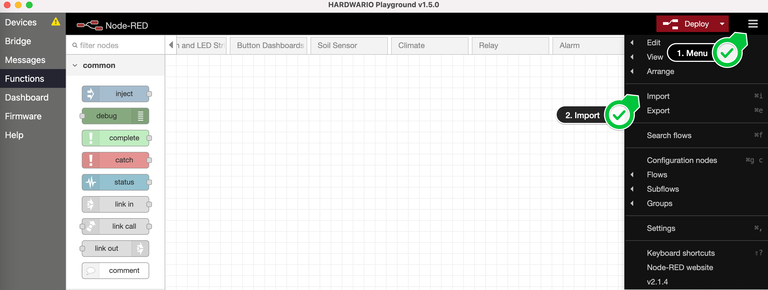

Click Deploy.

Open the Dashboard tab. You will see gauges with the soil temperature and moisture.
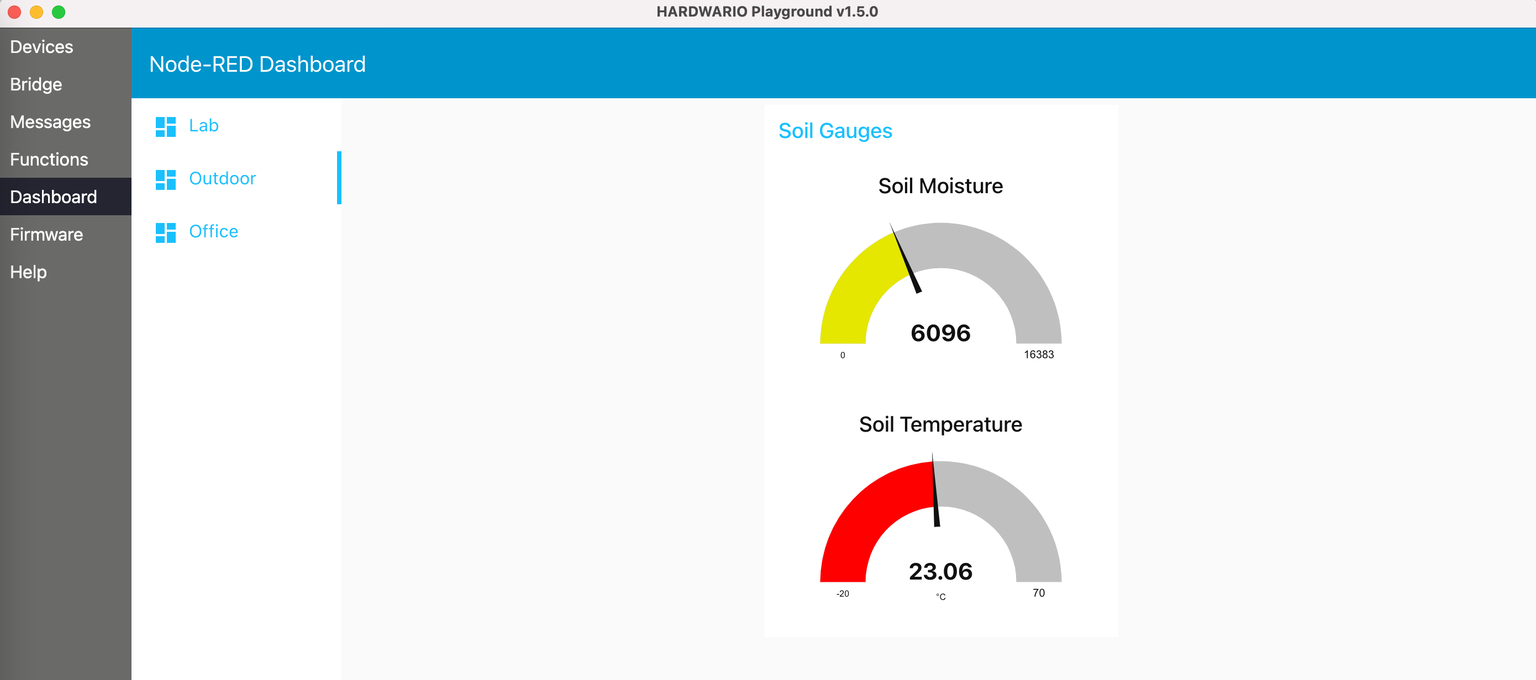
Put the soil sensor into a glass of water and watch the moisture and temperature change.
Signaling exceeded limits with the LED strip
Upload the twr-radio-power-controller firmware to the Control Set, connect the LED strip and pair the set with the Radio Dongle. It appears as power-controller:0.
The LED strip changes color with the soil moisture.
On the Functions tab of the HARDWARIO Playground application, you can change the moisture limits (the LOW MOISTURE node) and the LED strip colors (the LED STRIP GREEN/BLUE nodes).

Extra: switching the relay
The imported flow also includes a function that controls the relay on the Power Module. In the LOW MOISTURE node, you can change the value at which the relay switches on. The relay can then, for example, turn on irrigation automatically when the soil moisture is low.