Experiment
Time allocation: 10 min.
Experiment 1: Building TOWER assemblies
Time allocation: 5 min.
Experiment Description
Several teams of students use the HARDWARIO kit to build sample assemblies. You will find an overview of them in the store.
Experiment 2: Creating a flow in Playground
Time allocation: 5 min.
Experiment Description
In the Playground app, we will create a sample flow that displays the students' weight.
Experiment procedure
-
Download the Playground app and install it on your computer
-
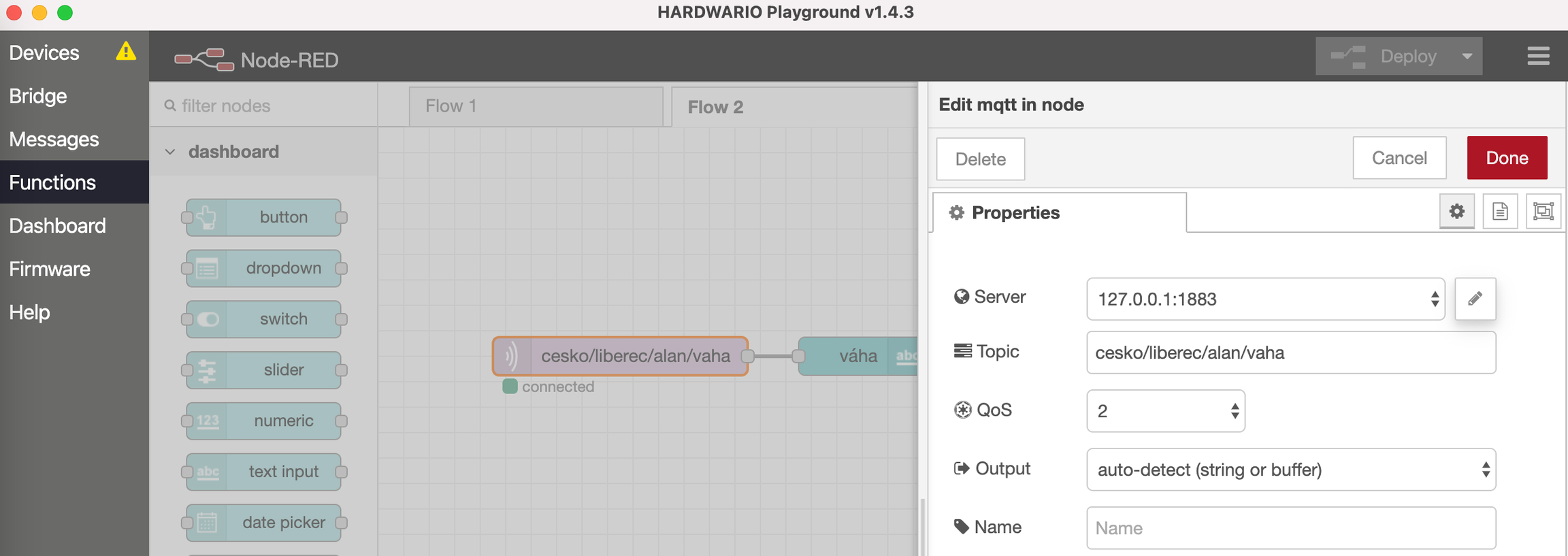
On the Functions tab, create a new flow:
a. add an mqtt in node (double-click it to open it, enter cesko/city/name/weight in the Topic field and confirm with Done)
b. add a text node from the dashboard section (double-click it to open it, change the Label to weight and confirm with Done)
c. connect the two nodes with a wire
d. click Deploy
-
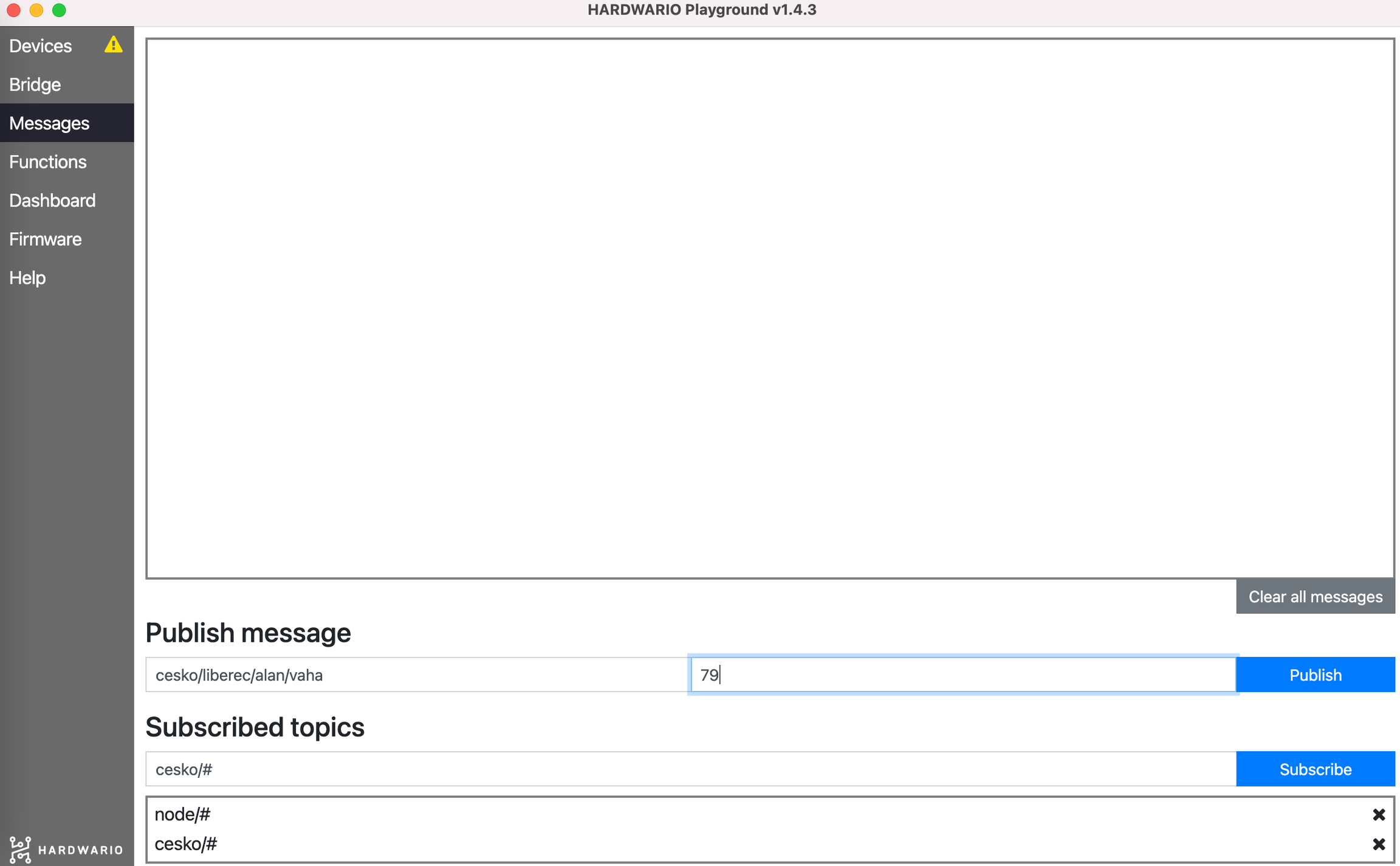
On the Messages tab, subscribe to the messages cesko/# (note: first remove bridge/# by clicking its cross)
-
Send a message with your topic and a payload containing your weight in kg
-
Go to the Dashboard tab, where you will see your weight